+1 (786) 209-1854

Language: English
  • English
  • Українська
  • Русский
  • Polski
  • Deutsch
  • Français
  • Español
  • Português
  • Nederlands
  • Svenska
  • עברית
  • العربية
  • 中文
  • हिन्दी
  • Bahasa Indonesia
  • 日本語
  • Italiano
  • Türkçe
  • 한국어
  • Tiếng Việt
  • ქართული
  • Filipino
  • ไทย
  • Čeština
  • Română
  • Ελληνικά
  • Dansk
  • Norsk
  • Suomi
  • বাংলা
  • اردو
  • فارسی
  • Bahasa Melayu
  • தமிழ்
  • Azərbaycan
  • Հայերեն
  • Қазақша
  • Oʻzbekcha
  • Magyar
  • Български
  • Slovenčina
  • Hrvatski
  • Slovenščina
Language: English
  • English
  • Українська
  • Русский
  • Polski
  • Deutsch
  • Français
  • Español
  • Português
  • Nederlands
  • Svenska
  • עברית
  • العربية
  • 中文
  • हिन्दी
  • Bahasa Indonesia
  • 日本語
  • Italiano
  • Türkçe
  • 한국어
  • Tiếng Việt
  • ქართული
  • Filipino
  • ไทย
  • Čeština
  • Română
  • Ελληνικά
  • Dansk
  • Norsk
  • Suomi
  • বাংলা
  • اردو
  • فارسی
  • Bahasa Melayu
  • தமிழ்
  • Azərbaycan
  • Հայերեն
  • Қазақша
  • Oʻzbekcha
  • Magyar
  • Български
  • Slovenčina
  • Hrvatski
  • Slovenščina

Corporate IP telephony

Benefits of corporate telephony
Corporate telephony is an internal phone network or local communication system within a company. It operates over the Internet and allows you to stay connected regardless of mobile network quality.
icon-1
Reduced communication costs
IP telephony enables calls via the Internet. Thanks to this technology, there is no need for phone lines or physical equipment. This is especially important for companies with multiple offices or remote employees.
icon-2
Multichannel capability
Corporate IP telephony allows one to receive and handle multiple calls on one number simultaneously. This ensures uninterrupted communication with colleagues and clients, even during peak periods.
icon-3
Scalability
You can quickly add new employees as your business grows or new branches open. New lines or users do not require technical changes or significant investments.
icon-4
Improved call quality
Using an Internet connection for voice transmission ensures clear connections without delays or distortions. OneVOIPlanet telephony works independently of geographical location or mobile coverage levels.
icon-5
Setting up a contact center
The ability to set up a virtual contact center without renting a physical office is a benefit of IP telephony. You can hire and coordinate an unlimited number of employees working from anywhere in the world.
icon-6
Voice menu, auto-responder, call recording
With IP telephony, you can set up a voice menu (IVR) that helps clients connect with the right department or manager. The auto-responder allows customers to leave messages when the operator is unavailable, and call recording ensures no important details are missed.
Corporate telephony use cases
illustration-1
Call forwarding to mobile numbers
Corporate telephony enables automatic call forwarding to an employee's mobile phone when they are not at their desk or out of the office. This ensures that important calls are not missed, and employees remain accessible anytime, regardless of their location.
illustration-2
Setting up a contact center
The ability to set up a virtual contact center without renting a physical office is a benefit of IP telephony. You can hire and coordinate an unlimited number of employees working from anywhere in the world.
illustration-3
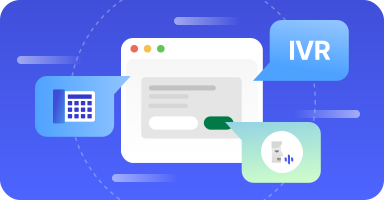
Voice menu, call recording
With IP telephony, you can set up a voice menu (IVR) that helps clients connect with the right department or manager. Сall recording ensures no important details are missed.
Flexible tariffs for your business

Popular

Start

Basic virtual PBX functionality for a quick and easy start

8$

/ month

Start plan includes:
icCheck

Ability to connect 1 number

icCheck

5 employees in the plan

icCheck

Call history for the selected period

icCheck

Audio recording of all conversations

icCheck

Single-level voice menu (up to 15 sec)

icCheck

CRM integrations

icCheck

Call forwarding

icCheck

Mobile app for calls

Business

Advanced virtual PBX functionality for medium and large teams

14$

/ month

All features of the Start plan, plus:
icCheck

Ability to connect up to 3 numbers

icCheck

12 employees in the plan

icCheck

Multi-level voice menu (up to 30 sec)

Included in the Business plan

Connect the CallBack widget for free

IllustrationBannerIllustrationBannerMob
Additional services for the online store
Business telephony from OneVOIPlanet
icon-1
Modern approach
Business telephony from OneVOIPlanet is designed with the user in mind. We use advanced technology to provide maximum flexibility and mobility for your business. You can make calls from any location and device, as long as you have an Internet connection.
icon-2
Integration capabilities
Our solutions integrate with popular CRM systems, allowing you to automate management processes and enhance communication efficiency. If your CRM is not on our list, we will customize the setup for you. You can also integrate the telephony system with email and Telegram bot.
icon-3
Professional Support
Our team provides professional support at every stage of your interaction with us. We ensure prompt responses to any questions or system issues, guaranteeing the reliability and continuity of your business communications.
Ready to connect corporate IP telephony? Our consultants are here to help!

Frequently Asked Questions

Why do you need corporate IP telephony?

arrow

Corporate IP telephony from OneVOIPlanet runs your whole company's calls from a single cloud account, with no on-site hardware to buy or maintain.

In one place you can add employees and assign roles, organize them into groups with call-distribution algorithms, build IVR voice menus, buy numbers with the channels you need, integrate CRM, and track call statistics. This makes it well suited to larger and distributed teams.

How to create and organize corporate IP telephony?

arrow

Everything is set up in your OneVOIPlanet cloud account:

  1. Register your account.
  2. Buy numbers and choose the number of channels (each channel carries one simultaneous call).
  3. Add employees and assign their roles.
  4. Create groups and select a call-distribution algorithm.
  5. Set up IVR voice menus and assign inbound and outbound directions to your numbers.
  6. Connect your CRM and review statistics.

No hardware is required, so the system scales easily as your team grows.

Is it possible to use IP telephony for international calls?

arrow

Yes. As a cloud service, OneVOIPlanet carries calls over the internet, so you are not tied to a physical PBX.

You place calls by assigning an outbound direction to your numbers, and the number of channels you buy sets how many calls can run at the same time. You can also connect external numbers to the system.

Can I connect IP telephony on different devices?

arrow

Each employee gets an assigned SIP account and can make and receive calls from their number.

If that SIP account is offline, calls can be forwarded to a mobile phone, provided the employee or group is assigned to an outbound direction, so you stay reachable when away from your workstation.

How to ensure data security in IP telephony?

arrow

Access is controlled by employee roles. The Main and Supervisor roles reach the full PBX functionality, while Accountant and Operator roles are limited to their own call journals, so staff only see what their role permits.

Call recording can be enabled in your company settings, and recordings are kept for as long as you use your OneVOIPlanet account.