+1 (786) 209-1854

Language: English
  • English
  • Українська
  • Русский
  • Polski
  • Deutsch
  • Français
  • Español
  • Português
  • Nederlands
  • Svenska
  • עברית
  • العربية
  • 中文
  • हिन्दी
  • Bahasa Indonesia
  • 日本語
  • Italiano
  • Türkçe
  • 한국어
  • Tiếng Việt
  • ქართული
  • Filipino
  • ไทย
  • Čeština
  • Română
  • Ελληνικά
  • Dansk
  • Norsk
  • Suomi
  • বাংলা
  • اردو
  • فارسی
  • Bahasa Melayu
  • தமிழ்
  • Azərbaycan
  • Հայերեն
  • Қазақша
  • Oʻzbekcha
  • Magyar
  • Български
  • Slovenčina
  • Hrvatski
  • Slovenščina
Language: English
  • English
  • Українська
  • Русский
  • Polski
  • Deutsch
  • Français
  • Español
  • Português
  • Nederlands
  • Svenska
  • עברית
  • العربية
  • 中文
  • हिन्दी
  • Bahasa Indonesia
  • 日本語
  • Italiano
  • Türkçe
  • 한국어
  • Tiếng Việt
  • ქართული
  • Filipino
  • ไทย
  • Čeština
  • Română
  • Ελληνικά
  • Dansk
  • Norsk
  • Suomi
  • বাংলা
  • اردو
  • فارسی
  • Bahasa Melayu
  • தமிழ்
  • Azərbaycan
  • Հայերեն
  • Қазақша
  • Oʻzbekcha
  • Magyar
  • Български
  • Slovenčina
  • Hrvatski
  • Slovenščina

Voice MenuIVR

Connect the IVR menu and simplify your customer's path to purchase
IVR menu: twice as much interaction with clients in the same time
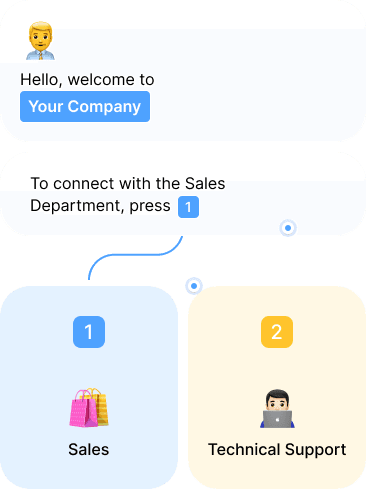
IVR (Interactive Voice Response) is a voice menu that helps the caller find answers to questions and get to the right department or employee. The client will not have to wait long for an answer, the IVR menu will automatically direct him to the right manager.
24/7 customer support based on IVR
Create a single-level or multi-level IVR menu with OneVOIPlanet and save company resources for more important tasks.
icon-1
Varied IVR menu
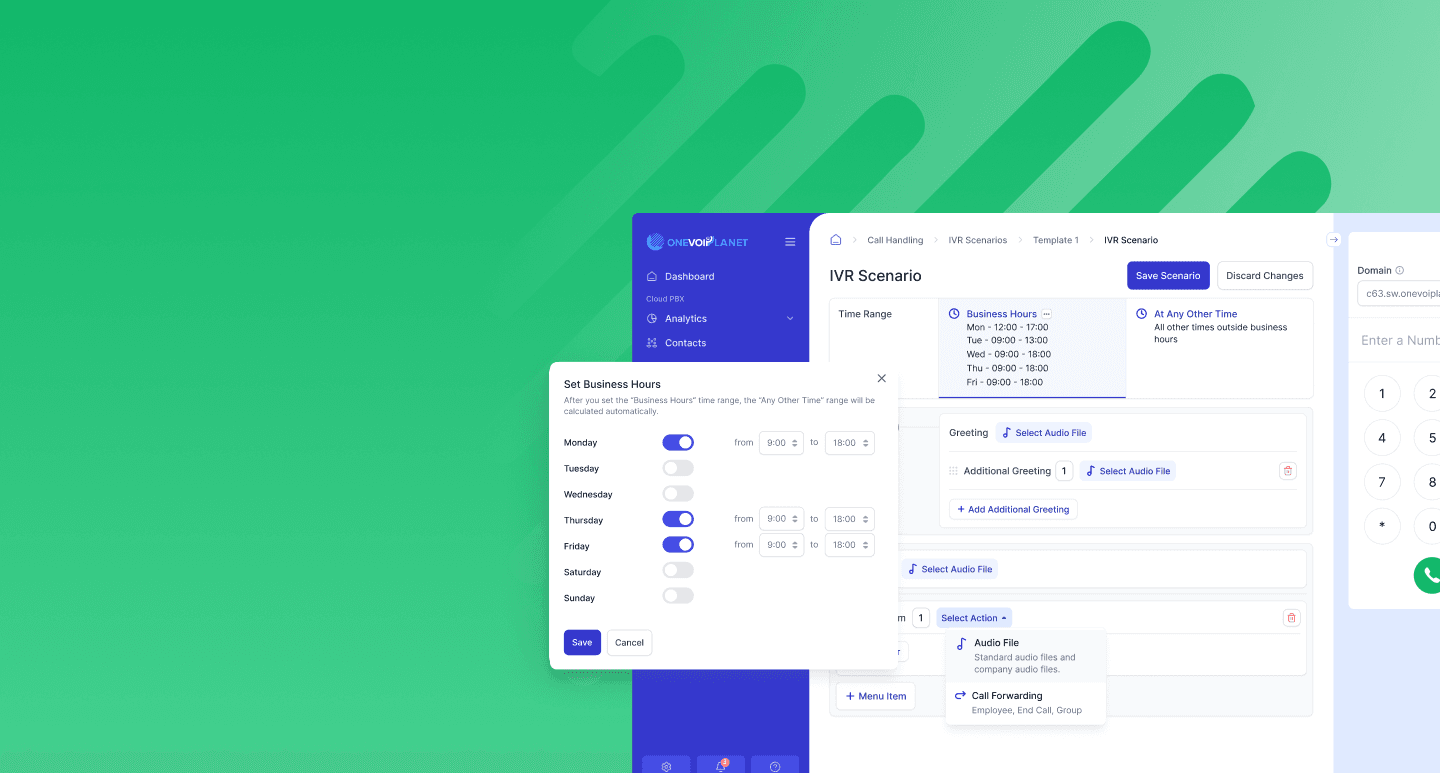
Configure your voice menu for different types of customers and situations. For example, split your IVR menu into business hours and non-business hours.
icon-2
Easy Setup
Update customer paths through the IVR menu by simply dragging the desired voice recording to a new location. No code changes required, you can make the changes yourself.
icon-3
Integrations with CRM
Don't lose useful information. Receive incoming calls immediately in the CRM system and record your customers' current requests in their personal profiles.
icon-4
Call Routing
Optimize the order in which your managers receive calls. Direct calls to available employees or to managers who will solve the customer's problem.
Use IVR as a company business card!
Present your business to customers from the best side
Advantages of the menu IVR service with OneVOIPlanet
illustration-1
Increased efficiency
The IVR menu allows you to automate call processing and quickly direct customers to the right department or operator, increasing the efficiency of the entire department.
illustration-2
VPBX is a collection of functions
By automating call processing, IVR allows you to reduce the number of operators to serve customers. This can save money on staff maintenance.
illustration-3
Flexible Settings
OneVOIPlanet allows you to flexibly customize your voice menu to fit your company's needs. Improve customer interaction and optimize your business processes with us.
Telephony and IVR for all needs
icon-1
Business
icon-2
Call centers
icon-3
Online stores
icon-4
Offices
icon-5
For home
icon-6
Corporate

Frequently Asked Questions

How long does it take to set up an IVR and what are its components?

arrow

An IVR is built entirely in your OneVOIPlanet account, so it can be ready as soon as your audio is prepared. It relies on two types of files: music files (the melody a caller hears before being connected) and voice files (the greeting and menu prompts). You create it with Create IVR template in two stages:

  1. General settings - name, domain, optional description, and wait-time / timeout behaviour.
  2. The menu options and where each one routes the call.

Is it difficult to manage the IVR after setup?

arrow

No. You can edit or delete an IVR at any time from your OneVOIPlanet account. Editable items include the template name, description, wait time and retry limits, the timeout and error prompts, forwarding, the time range, voice files, and the action for each menu option or sub-option. Only the SIP address and domain of the IVR cannot be changed.

Is it possible to integrate IVR with the current telephony system?

arrow

Yes. The IVR runs on the OneVOIPlanet cloud PBX over SIP and is attached to a number's inbound direction, so calls to that number are answered by the menu. If you use SIP-based telephony, contact our support team to confirm the details for your setup.

What are the hardware requirements for implementing IVR in my office?

arrow

None. No extra equipment is required - the IVR is configured entirely in your OneVOIPlanet account and runs on the cloud PBX. Just set up your menu and start using it.

Is it possible to use IVR for remote employees?

arrow

Yes. The IVR can route calls to employees, groups, or external numbers, so remote staff are reached wherever they are - through the OnePhone app, a softphone, or call forwarding.