 +1 (786) 209-1854



Integration with SalesDrive
SalesDrive is a Ukrainian CRM system for online stores, founded in 2012.
SalesDrive automates order processing, the creation and tracking of waybill (TTN) statuses, and warehouse accounting. SalesDrive records communications with the customer (calls, SMS, messengers, email) and helps control the work of managers.
Integration capabilities
- Call log (all incoming and outgoing calls in the request card).
- Listening to the call audio recording in the CRM.
- Tracking missed calls.
- 1-click call from the request card.
Setting up the integration with the SalesDrive CRM
To set up the SalesDrive integration with OneVOIPlanet, you need to:
- Click Integrations.

- Go to SalesDrive.

- Activate the integration.

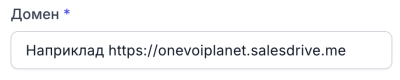
- In the Domain field, enter the link generated in your SalesDrive account. (For example:
https://onevoiplanet.salesdrive.me).
- In the API Key field, enter the generated key (token) that allows identifying the SalesDrive account. How to generate an API Key?
- Click Save.

- Next, set up the internal numbers in your SalesDrive account. How to set up internal numbers?
How to generate an API Key?
- Go to your SalesDrive account.
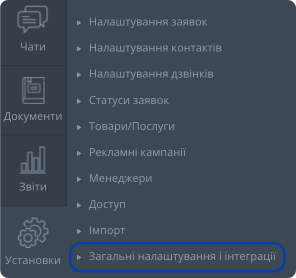
- Click Settings.

- Go to General settings and integrations.
- Go to the Other services tab.

- And click API.

- Click the API keys button.

- Click the Create API key button.

- On the creation page, enter a name, for example OneVOIPlanet Integration.

-
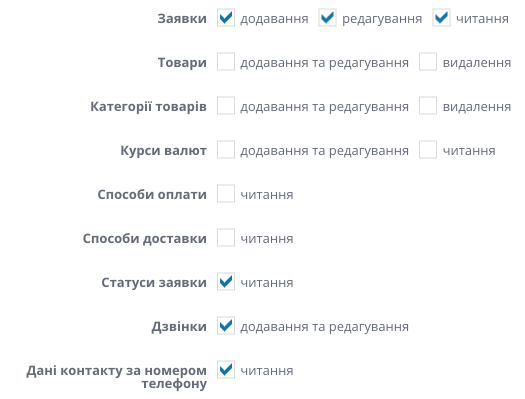
Grant access to several items:
a. Requests: adding, editing, reading.
b. Request statuses: reading.
c. Calls: adding and editing.
d. Contact data by phone number: reading.
- Click Save.
- After creation, an API key will be generated, which we need at the configuration stage in your OneVOIPlanet personal account.

Internal numbers
Specify the internal numbers for each manager in the Telephony section of the SalesDrive general settings.

In the Internal number field, enter the OneVOIPlanet SIP account number.
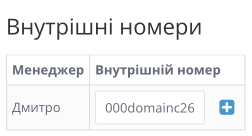
For example: 000domainc000
Find the SIP account numbers in your OneVOIPlanet personal account by clicking Employees.

Take the SIP account number of the employee (manager), and add the domain name of your domain. And we get 000domainc261.

To add several employees (managers), first add the managers in SalesDrive, and then enter the internal lines for each manager.
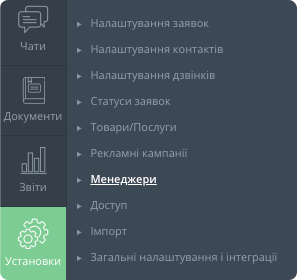
The integration has been set up successfully.