 +1 (786) 209-1854



Setting up the incoming and outgoing directions of a number
After buying a number, you can manage the number's incoming and outgoing directions.
A 0800 number can only have an incoming direction (i.e., only receiving calls).
All other numbers can have only one incoming direction (either to an employee, a group, or a voice menu) and multiple outgoing directions (to an employee, group, or voice menu).
Setting up the incoming direction
- Click Select.

- In the modal window, select the direction and, from the list, select who you want to assign to the incoming direction.
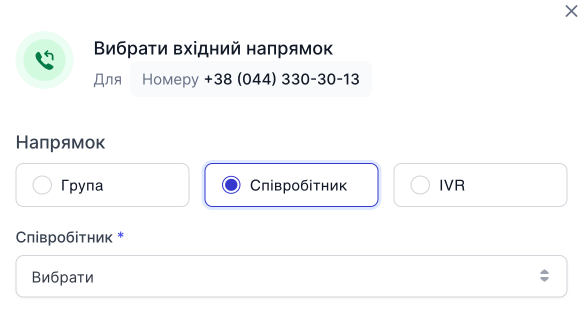
- Click Save.

Note! You can change or delete a direction: click ... and, in the drop-down menu, select the action you need to perform.
Setting up the outgoing direction
- Click Select.
- In the modal window, select the direction and, from the list, select who you want to assign to the outgoing direction.
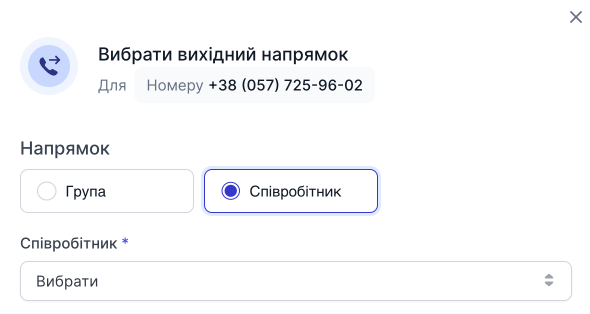
- Click Save.
Note! You can change or delete a direction: click ... and, in the drop-down menu, select the action you need to perform.
Adding another outgoing direction
- Click Add.

- In the modal window, select the direction and, from the list, select who you want to assign to the outgoing direction.
- Click Save.