 +1 (786) 209-1854



Deleting a SIP domain
Before deleting, make sure that no employees, groups, IVRs, or widgets are linked to the domain.
How to make sure that no employees, groups, IVRs, or widgets are linked to the domain?
- Go to SIP settings

- Click SIP Domains

- Go to the desired domain and make sure that no employees, groups, IVRs, or widgets are linked to the domain.
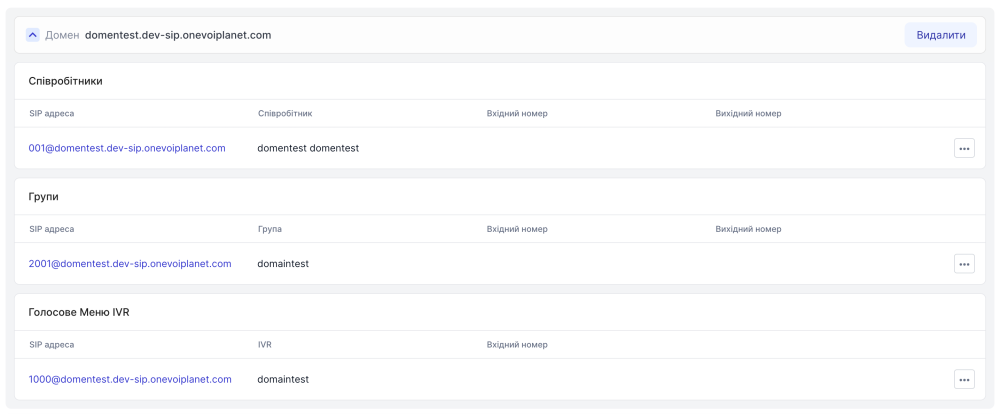
How to delete a SIP domain?
Please note that the main domain cannot be deleted.
- Go to SIP settings
- Click SIP Domains
- Click Delete for the domain you need to delete

- In the modal window, click Delete to confirm the action

The domain has been deleted successfully.