 +1 (786) 209-1854



Setting up E-mail notifications
The following notifications are available for E-mail:
- Notification about all pending callback widget requests over a day
How to add an E-mail to receive notifications?
- Sign in to your personal account
More about how to sign in to your personal account →
- Go to General settings (the button looks like a gear)

- Click Add a contact for notifications

- In the New notification contact drop-down menu, select E-mail
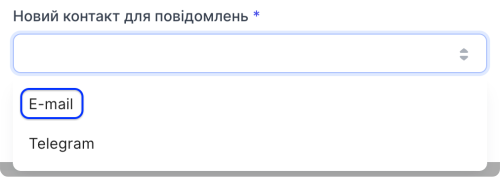
- In the E-mail field, enter the mailbox address at which you want to receive notifications

- Click Add

- In the contacts table, select the notifications you want to receive at the selected contact

Please note that some notifications require additional configuration
- Click Save
The E-mail for receiving notifications has been added successfully.
Setting up notifications about all pending callback widget requests over a day
- In the contacts table, select Widgets for the required contact

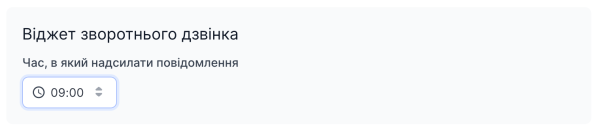
- Select the time at which you want to receive E-mail notifications about all pending callback widget requests over a day
- Click Save