 +1 (786) 209-1854



Language settings
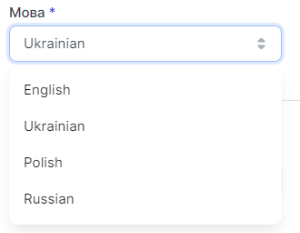
Available interface languages:
- English
- Ukrainian
- Polish
- Russian
How to change the interface language?
- Go to General settings (the button looks like a gear)

- In the Language drop-down list, select the language you need
- Click Save
The language has been changed successfully