 +1 (786) 209-1854



Connecting the CallBack widget
How to add the widget to your website?
First, you need to get the widget code. There are two ways to get the code:
- During creation, at the last stage after clicking the Create button:
- In the modal window that appears, click the Code for website button.

- Click Copy.
- When viewing the widget's detailed information:
- Click Widgets.

- Go to CallBack.

-
In the table, left-click the name of the widget you need
-
Click Edit widget.

- Select the Code for website tab.

- Click Copy.
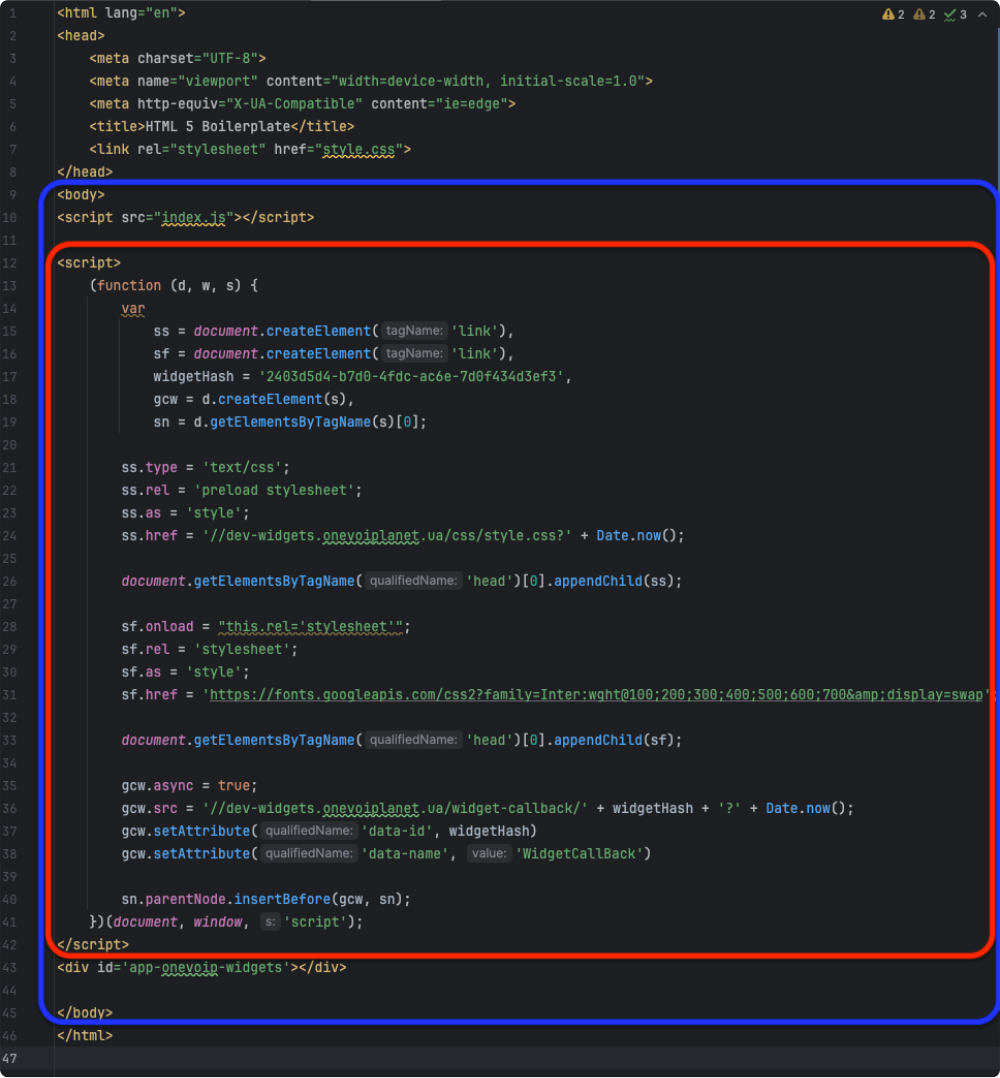
The widget code needs to be added as the last script in the body of the root index.html file
Connecting the CallBack widget is complete.