 +1 (786) 209-1854



Removing from the blacklist
How do I remove a number from the blacklist?
There are three ways to remove a number from the blacklist:
- Add the number to the contact list
- Remove a single number from the blacklist table
- Remove several numbers from the blacklist table at once
Removal by adding to the contact list
After adding the number to the contact list, it will be automatically removed from the blacklist
Learn more about adding a number to the contact list
Removing a single number via the blacklist table
- Go to Blacklist

- Click ... next to the number you want to remove

- Select the Delete option

- In the modal window, click Delete

The number has been successfully removed
Removing several numbers from the blacklist at once
- Go to Blacklist
- Select several numbers using the checkboxes
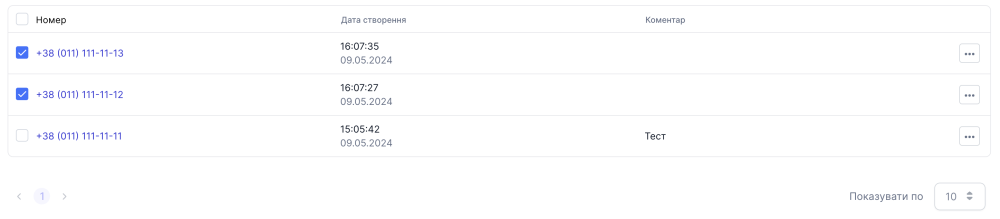
- Next to the Add number button, click the delete button, which looks like a Trash bin

- In the modal window, click Delete
The numbers have been successfully removed